

Table of Contents
Introduction
Robot voice generators are creative means to convert the written text into artificially generated speech. They give the users the ability to produce robotic, futuristic, or character-driven voices in an extremely simple manner. As a result, these tools are no longer limited to pre-recorded files but have also been extended to real-time applications.
Robot voice generators in the field of entertainment and the creation of content are the leading ones to be used. Just to name a few, there could be the gaming commentary, animated videos, and podcasts, projects driven by AI, where these tools increase the level of engagement and offer the audience a novel way of listening. Games and streams become more entertaining if the players use a Valorant voice changer to disguise their voice during the game or simply add an extra layer to their gameplay, thereby making it more immersive. On the other hand, content creators can use these voices to make their productions more attractive.
Top 3 Robot Voice Generators
1. EaseUS VoiceWave
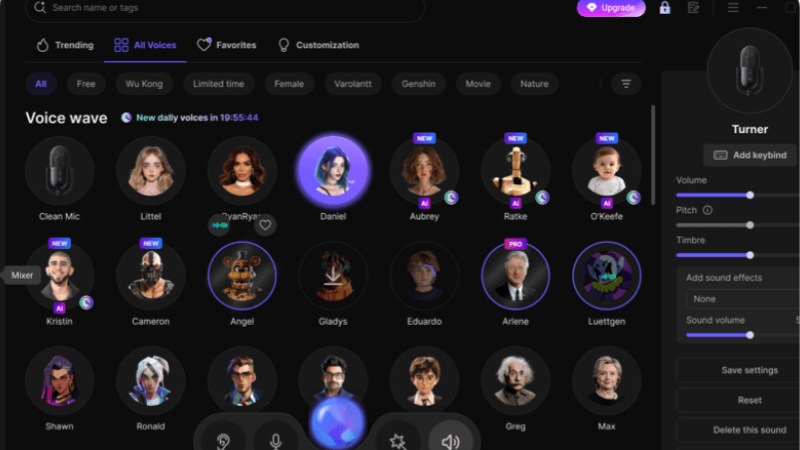
EaseUS VoiceWave is a robust real-time AI voice changer to which gamers, streamers, Vtubers, and content creators can resort to instantly transform their voices. The device offers almost zero delay and genuine-sounding voice effects; thus, users can change the pitch, tone, or timbre without any interruption. If you are role-playing in an online game, recording professional content, or live streaming, VoiceWave is the way your voice will sound unique and immersive. Besides, an advanced noise reduction feature makes the audio crystal-clear, thus the device is also perfect for professional and casual setups.
Moreover, EaseUS VoiceWave is a very adaptable product. Over 200 voice effects and more than 300 soundboard sounds enable you to create a pitch-altered or character-specific voice, and doing so is very easy. Also, the device can be easily integrated with such popular platforms as Discord, Zoom, Twitch, and OBS, thus being a perfect tool for gaming, live streaming, and online chats.
Key features:
- Real-time AI voice changer with ultra-low latency
- Noise reducer for clear audio during live chats and recordings
- Adjust pitch, tone, and timbre in real-time
- 200+ voice effects and 300+ soundboard sounds
- Compatible with Discord, Twitch, TikTok Live, Zoom, OBS, and more
- Voice recorder supporting up to 11 audio formats
- Works with video & audio files for post-production
How to sound like robot via EaseUS VoiceWave?
Step 1. Download and install EaseUS VoiceWave. Choose your microphone and headphones.
Step 2. Select a voice filter from the library or use Advanced options.
Step 3. Open the app or game and select VoiceWave Microphone (Virtual Device) as your input device.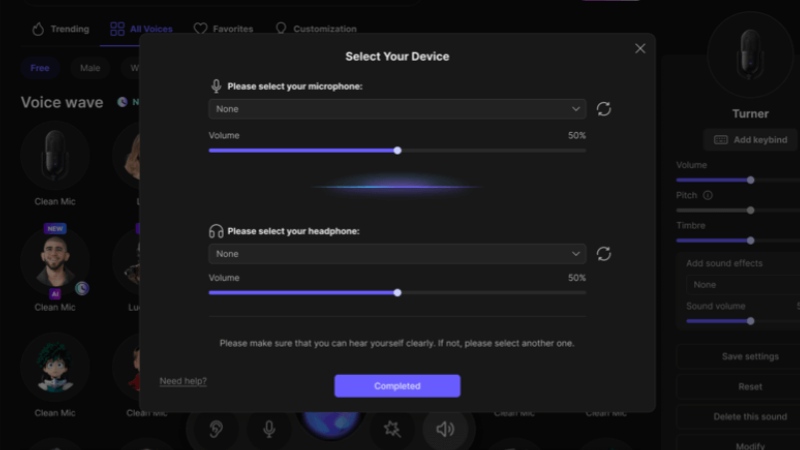
Step 4. Start speaking, and your transformed voice will be heard immediately.
MorphVOX
MorphVOX Pro by Screaming Bee is a lavish voice changer that lifts your audio with a single learning technology. It absorbs the voice, removes the background noise, and produces the sound of the best quality. No matter if you are a streamer, gamer, or content creator, MorphVOX enables you to change your voice smoothly, make it from your regular to a one like a mighty giant, grumpy dwarf, or even a galactic overlord. Its sophisticated voice-altering algorithms always result in clear, natural-sounding voices, and the extremely silent background noise remover makes your recordings clean and of high quality.
MorphVOX’s major feature is perhaps its numerous free voices and sound packs that allow you endless creative combinations of voices. Moreover, you can have background noise, and thus, it will seem that you are in a traffic jam, a shopping mall, or any other custom place, which is great for immersive gameplay or streaming. MorphVOX, being an online game and chat program friendly, can be used by gamers as well as content creators on platforms like Discord, Twitch, and OBS, making a unique audio persona.
Key features:
- Superior voice-changing algorithms with realistic transformations
- Advanced voice-learning technology for best sound quality
- Ultra-quiet background cancellation and noise reduction
- Many free voices and sound effect packs for customization
- Backgrounds to add environmental sounds while speaking
- Optimized for online games and live streaming
- Quick Voices and Quick Effects for instant voice and effect switching
FineVoice
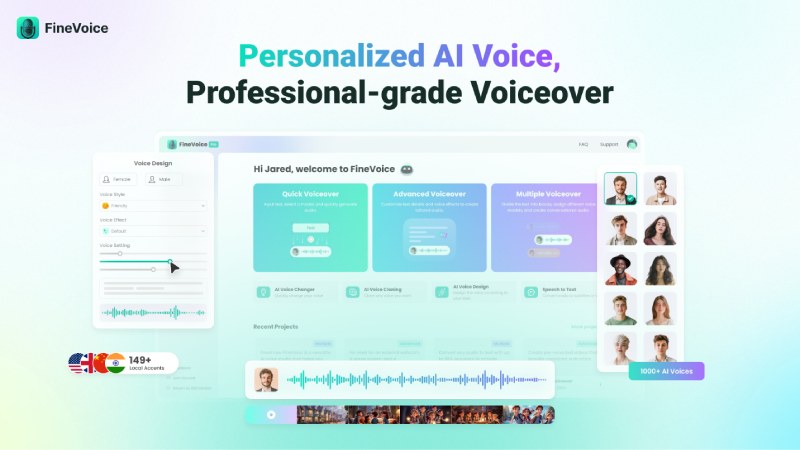
FineVoice is a powerful AI voice generator and text-to-speech software that fits the needs of creators, educators, and businesses aiming for quality, natural-sounding voiceovers. With an array of more than 1,500 AI voices in 154 languages and different accents, FineVoice enables users to create lifelike speech for the use of videos, podcasts, e-learning, animation, and commercials within a matter of seconds. The company has put into place a complex deep learning system with the purpose of making each voice output of the product used in their demonstration be in line with natural intonation, timing, and emotive expression, thus being very captivating and authentic.
Apart from FineVoice’s instant Custom AI Voice Cloning feature, the user can adjust pitch, tone, speed, and emotion as per the desired specification for storytelling or voiceover projects. The program is not just a text-to-speech converter but also performs AI voice changing and generates royalty-free sound effects, thereby helping content creators in completing their tasks easily.
Key features:
- Generate lifelike AI voices across 1,500+ options and 154 languages
- Instant AI voice cloning for precise replication of any voice
- AI voice design for creating custom voices with emotional expression
- Text-to-speech conversion with adjustable pitch, tone, speed, and emotion
- AI voice changer to transform voices between genders, ages, or styles
- Royalty-free sound effect generator for videos and multimedia projects
- Speech-to-text with high accuracy and multiple export formats (TXT, SRT, VTT, JSON)
Conclusion
Robot voice generators are one of the main tools that have been put in the hands of gamers, streamers, content creators, and educators through which they get real-time voice modulation, text-to-speech, and easily customizable AI voices for their videos, podcasts, and online interactions. In brief, it is the best thing for them to use.
Among the best alternatives, EaseUS VoiceWave is the one that is far away from the rest to the extent that it offers ultra-low latency real-time voice changing, a huge library of 200+ voice effects, noise cancellation, and the ease of integration with platforms like Discord, Twitch, and OBS. Due to its simple-to-use interface and feature-rich live streaming, gaming, or recording capabilities, EaseUS VoiceWave can be considered the most dependable and user-friendly resource that anyone can utilize in order to elevate their audio experience.
Robot Voice Generator FAQ
1. Are AI-generated voices copyrighted?
Most AI voice generators, like EaseUS VoiceWave, deliver royalty-free voice effects and outputs that can be used for both personal and commercial purposes. It is always recommended to verify the platform’s terms in order to be compliant when you monetize your content.
2. Can I create my own AI voice?
Certainly, most AI voice solutions offer the possibility to clone or create custom voices. Besides, EaseUS VoiceWave lets you make real-time changes of pitch, tone, and timbre to get a brand-new voice for gaming, streaming, or content production.
3. What are some popular AI voices to try?
Some of the popular choices are robot voice, male-to-female transformation, female-to-male transformation, and character-based voices, and some emotion variations like cheerful or dramatic voice. To name a few, EaseUS VoiceWave can provide more than 200 voice effects and soundboards that you can use to experiment with different voices.

