

Table of Contents
Introduction
Making video music removal easier than ever. People desire clean audio for edits, schoolwork, social media, and professional endeavors. Sometimes you merely need a voice. Sometimes you want background sound without music. Whatever your purpose, the correct tool can clean audio in a few clicks.
This guide covers the reliable AI Acapella Extractor. All tools in this list are online and require no installation. They support many video formats and work well on phones, tablets, and computers. EaseUS Online Vocal Remover, VEED, Media.io, Adobe Express, Video Candy, and Flixier are reviewed. Each tool will be explained, how it helps, and how to use it.
alt: music remover from video in 2025
Music Remover From Video Online
Now that you know why music removal is important, let’s look at internet tools. Every platform below has easy steps and quick results. The top 2025 music removal tools are listed below.
EaseUS Online Vocal Remover is a simple yet powerful AI tool for video music and vocal removal. You can use it online without downloading software. Upload any video or audio file, and the program instantly distinguishes vocals from background music. The AI can handle large files and formats. Cloud technology ensures rapid, clean processing without device power. EaseUS simplifies karaoke, clean backdrop, and vocal-free sounds.
Features and benefits
- Advanced AI algorithms separate vocals and music accurately.
- Works with MP4, MOV, MP3, WAV, M4A, FLAC, and more.
- Online cloud processing means you don’t need powerful equipment to receive speedy results.
- High-Quality produces crisp instrumentals and voices with low audio leakage.
- You can paste a link and grab audio from YouTube and SoundCloud.
- Easy to make karaoke, remix, cover, and background music.
- Supports 60-minute, 1GB files.
- Accessibility across platforms, Web, Android, and iOS compatibility for use anywhere.
- Files are processed 2x faster than prior programs for audio separation.
Step-by-step Process
Step 1. Click “Choose File” to upload media. Drop the file directly into the tool. It supports MP3, WAV, M4A, MP4, MOV, FLAC, and others. Upload files up to 1GB and 60 minutes.
alt: upload video
Step 2. After uploading, the sophisticated AI will scan the audio. The human voice and music are automatically separated. The process normally takes seconds. You can preview findings before downloading.
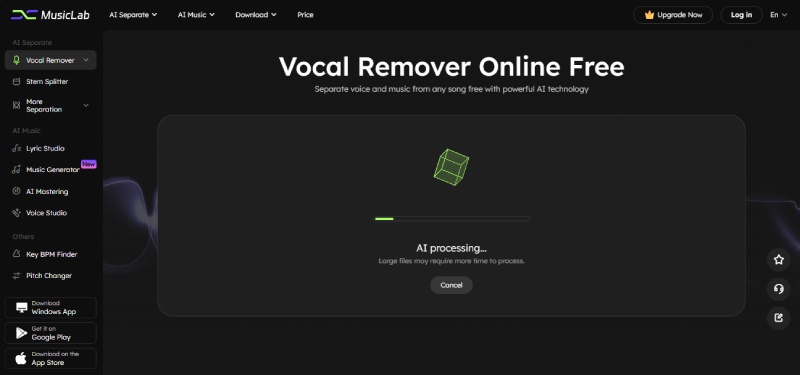
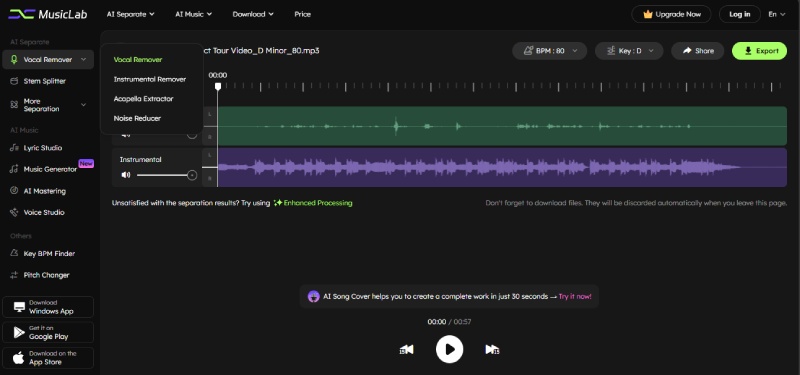
Step 3. Click “Export” to download your clean vocal, instrumental, background, or karaoke track after separation. Make covers, remixes, voice-overs, or other creative projects with the audio.
VEED is a simple web program that removes MP4 audio in seconds. It requires no editing skills or software and hence is perfect for beginners. Your browser handles everything, making it fast and easy to use on any device. One click mutes the full video or sections of it with VEED. Replace the audio with a new sound or song. VEED has audio cutting, mixing, and amazing sound wave visualizers. This makes it versatile for fast, clear audio removal.
Follow the steps below:
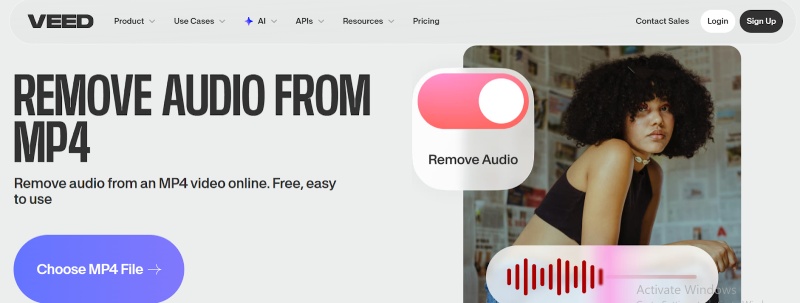
Step 1. Upload your video using “Choose MP4 File.” Dragging the MP4 file into the editor works too.
Step 2. Select the sound icon below your video. When the symbol is crossed out, audio is muted. You can mute the video or portions, and click “Done.”
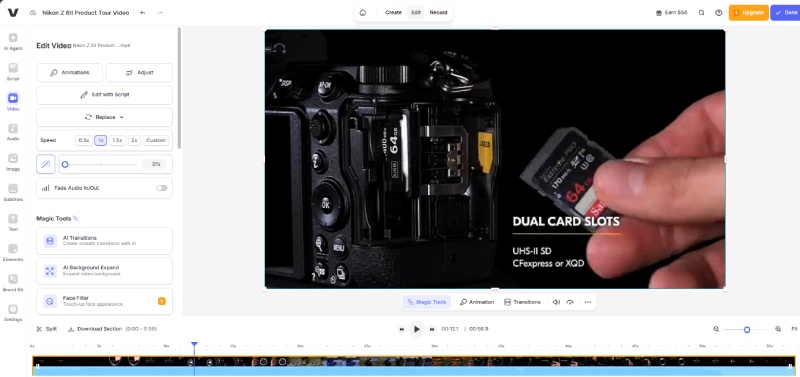
Step 3. Download your quiet video by clicking “Export.” Finally, your audio-free clip is ready.
Media.io Online Video Muter mutes videos quickly and smoothly without sacrificing quality. No installation is needed because it runs in your browser. With its sophisticated AI, Media.io can mute the video or extract vocals, instruments, drums, and background music. It supports MP4, MOV, MKV, MP3, WAV, etc. With a few clicks, you can choose clean background music, karaoke, or silent video. Beginners, creators, music fans, and anyone who needs fast audio reduction or separation will love it. The steps are below:
Step 1. Start by selecting your device’s video file and clicking “Click to Upload.” Upload MP4, MOV, MKV, etc.
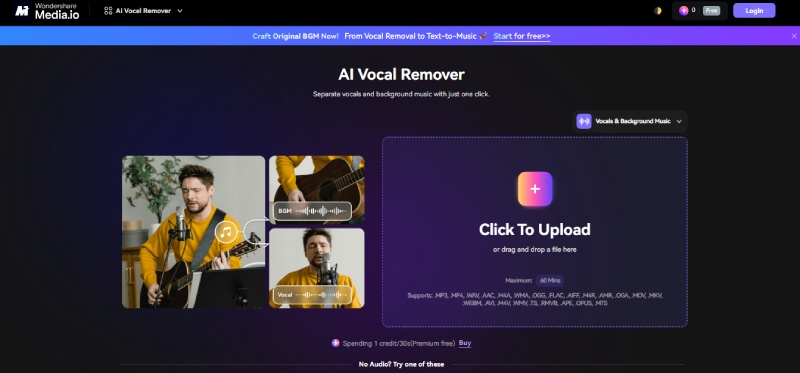
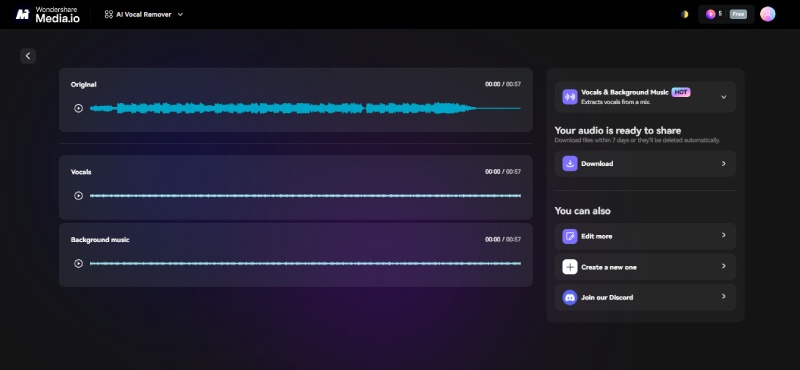
Step 2. Choose to mute, remove vocals, or extract instruments. Media.io accurately detects voices, music, and background sound in seconds.
Step 3. View the results. Muted video, removed voice, instrumental track, or any layer can be downloaded.
Step 4. Click “Download” to save your clean audio or video immediately.
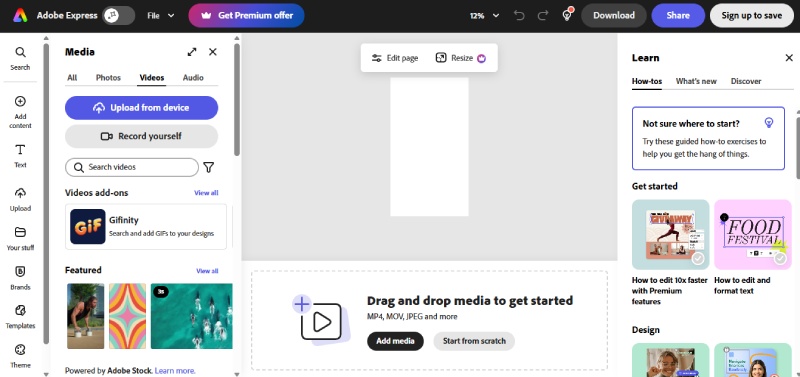
Adobe Express mutes videos in seconds online. No editing skills required. Everything works in your browser, so no installation is needed. Just upload your video and press one button to remove the sound. Adobe’s extensive soundtrack library lets you add music or silence the video. Make a vlog or tutorial with your own voice-over. Adobe Express is a simple but excellent audio editor that enables you to cut, chop, resize, and add text or effects.
Step 1. Select your device’s video and click “Upload from Device.” You can upload 1-hour videos, giving you plenty of space.
Step 2. Click “Mute” on the left after the video loads in the editor. The audio will be removed immediately. Preview the clip to ensure it sounds right.
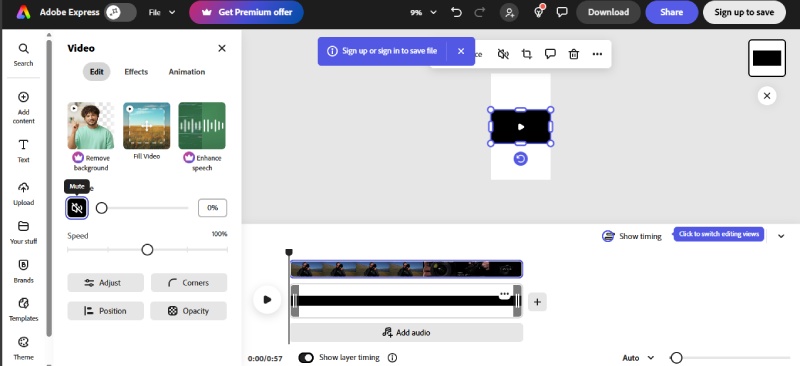
Step 3. Click on “Add Audio” to add a song from Adobe Stock or upload your own to replace the sound. You can record your voice-over or add multiple tracks.
Step 4. When finished, click “Download” to save your MP4. It may be shared or edited with effects, text, symbols, etc.
Video Candy lets you mute any video with a few clicks online. No editing skills or software required. Your browser works fine. Upload your video and wait for Video Candy to remove the sound. The interface is simple, so even beginners can silence videos. After removing the audio, you can download or modify the file in the built-in video editor. Video Candy features trimming, cropping, text, and more, making it a versatile option for quick video adjustments.
Step 1. Upload your device video by clicking Select File. Drag-and-drop the file into the upload box. Upload begins immediately.
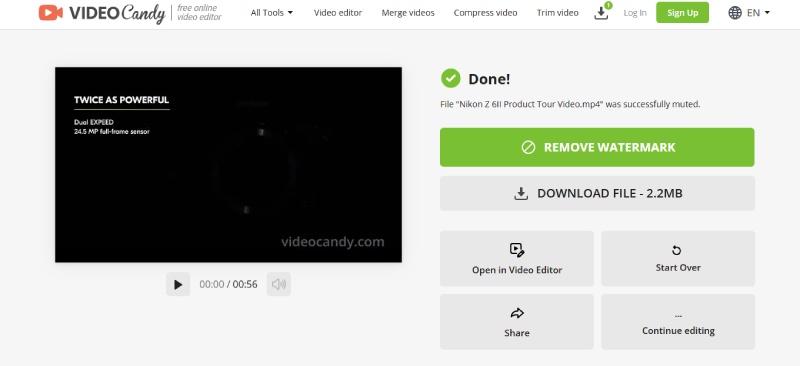
Step 2. Video Candy starts video processing immediately. Upon completion, a notice will confirm file muting. No buttons are needed—everything happens automatically.
Step 3. Click “Download File” to save your muted video after processing. Use Open in Video Editor to cut, crop, add text, and more.
Step 4. Click “Start Over” and repeat to silence another file.
Flixier, a powerful online video editor, extracts audio from any video easily. You don’t require software or an account because everything runs in your browser. Mute background music, remove voice-overs, and clean up low-quality audio with Flixier in just a few clicks. Its flexibility comes from supporting MP4, AVI, and MKV video formats.
Replace the muted audio with music, upload your own sound, or record a new voice-over. The audio enhancer, noise reduction, and volume controls in Flixier are useful. These features enable smooth, clear video and sound. No matter your video editing experience, Flixier makes it accessible for everyone—even youngsters. It supports Android, iPhone, Mac, and Windows for anytime, anywhere editing.
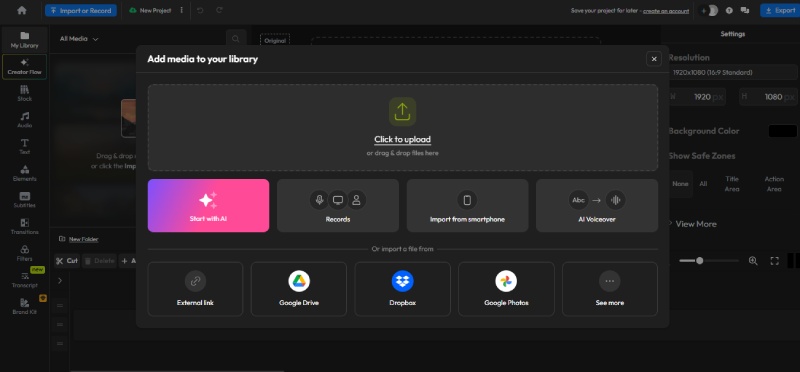
Step 1. Launch Flixier in your browser by clicking “Click to Upload.” Upload a device video, import from Google Drive, OneDrive, Dropbox, or transfer a video link.
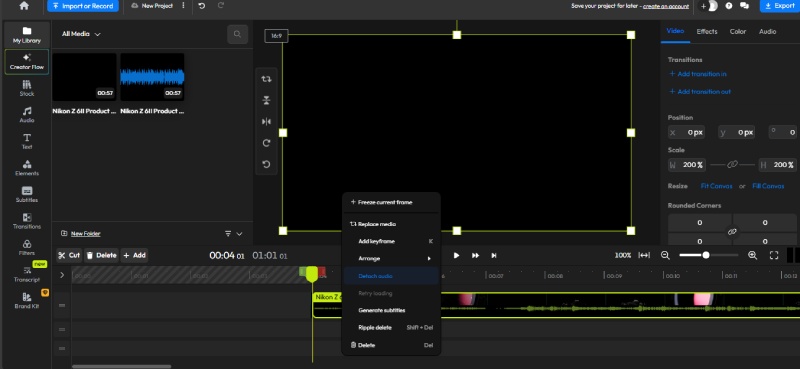
Step 2. Drag your video onto the timeline. Detach audio by right-clicking the clip. Remove or cut the audio track to mute it. You can replace it with music or a voice-over.
Step 3. Click “Export” and Download to save your muted video as MP4. You can publish immediately to YouTube, Instagram, TikTok, etc.
Conclusion
Online tools make video music removal easy. Tools like VEED, Media.io, Adobe Express, Video Candy, and Flixier make removing and adding sound easy. However, EaseUS Online Vocal Remover is ideal for smoothness, sophisticated AI, and clear outcomes. It accurately removes vocals and background music and retains sound clarity. Everyone can use it quickly, free, and easily.
FAQs About Music Remover From Video
-
How does a music remover tool work?
A video music remover uses AI to isolate sounds. Voice, music, and background are examined. Then it removes unwanted vocals or music. This creates a clean audio track for editing, uploading, or remixing. This fast, safe online approach requires no apps.
-
Can I remove music from any video format?
Most online tools support MP4, AVI, MOV, MKV, and others. Just submit your video, and the program does the rest. The AI reads the file’s audio and eliminates what you select. Edit anywhere on phones, desktops, and tablets. While most prominent sites accept practically anything, check the tool’s accepted formats.
-
Will the video quality drop after removing the music?
No, most tools maintain video quality. Changes only the audio layer. The video is clear and sharp. Certain tools allow you to replace the audio with music or sound. Use EaseUS Online Vocal Remover to get an audio-free file

